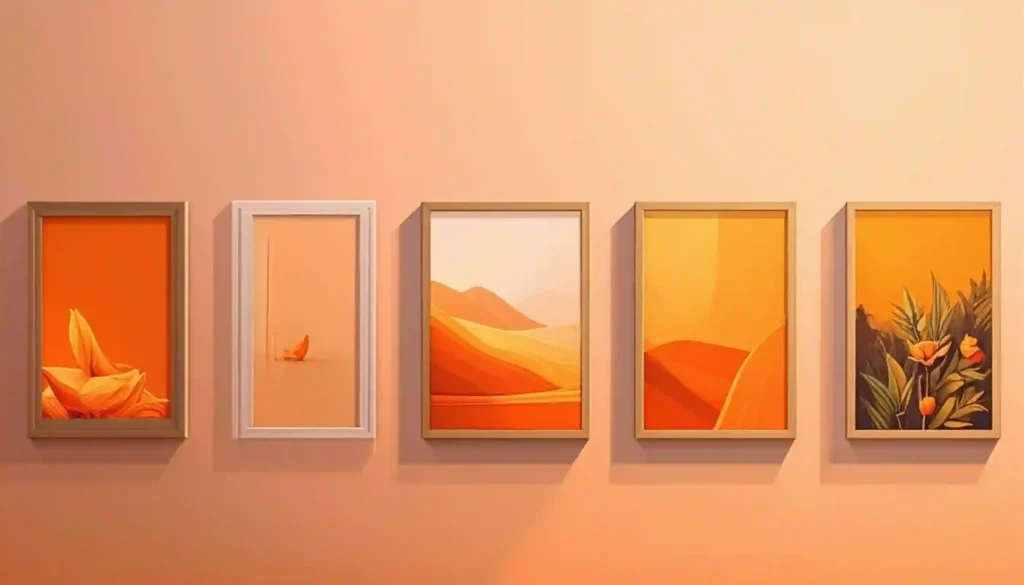
Disclosure: This article on how to make and sell wall art with AI on Etsy contains independent recommendations based on real-world experience and research. To support our work, we include partner links. If you make a purchase through these links, we may earn a commission at no extra cost to you.
Wall art and prints on Etsy are always in high demand.
But…it doesn’t mean easy sales just because they are popular.
High demand also attracts high competition. In a competitive market like wall art, you can lag behind if you are still using old manual methods to create everything from scratch. Therefore, in the current market, using AI to create wall art designs has become crucial. In this guide, we will explore how to make and sell wall art on Etsy with AI, along with a real-life example.
What is Etsy AI Policy?
Etsy policy allows AI creations provided they are based on original prompts and disclosed on the listings page.
Does AI Wall Art Sell on Etsy?
Yes. As long as the wall art is creative, original, and visually appealing, it sells on Etsy. You can read more about this in the article Does AI Wall Art Sell on Etsy? — Research-Driven Insights.
AI Tool Options for Creating Wall Art for Etsy
There are various AI image generators available on the market. However, if you want to create wall art, there are two popular options: Adobe Firefly and Midjourney.
The Design Process
1. Understand Buying Motives for Wall Art
If you create random wall art designs, it will be difficult to get sales. Before you make any design, you need to understand the various reasons shoppers buy wall art. Etsy shoppers buy wall art for different spaces in the home, such as the kitchen, bathroom, and living room. Additionally, they buy identity-based designs for gifting. If you make designs based on these buying motives, you can get sales fast on Etsy.
Find Low-Competition Products
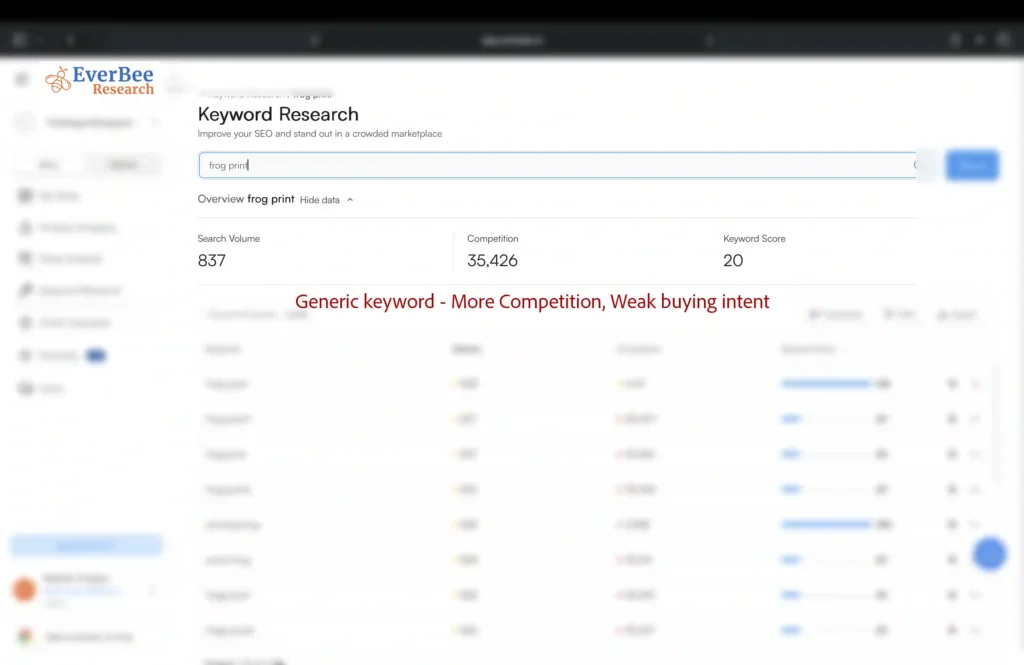
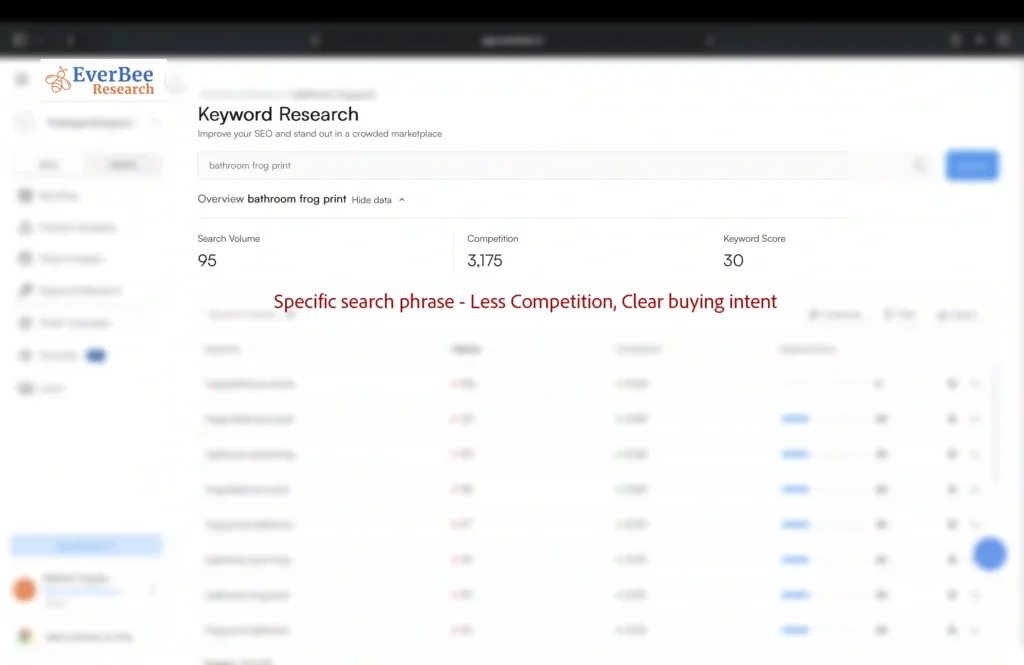
It is easier to get sales in the beginning if you design based on specific buyer searches with low competition. EverBee is quite useful for finding long search phrases with low competition. If you create random designs based on broad keywords, it will be difficult to get sales. Furthermore, a buyer searching for a specific product has a stronger buying intent than a buyer searching for a broad keyword; therefore, specific products convert better. In fact, industry data indicates that long-tail keywords typically convert at a rate 2.5x to 3x higher than broad head terms.
Example:
Frog Print ❌ —> Weak Buying Intent —> More Competition —> Difficult Sales
Frog Bathroom Print ✅ —> Clear Buying Intent —> Less Competition —> Easier Sales
In the screenshot below, the EverBee keyword research tool shows that you can bring down the competition from 35k+ listings to only 3k+ listings by targeting specific search phrases.
Once you have identified low-competition products, perform additional checks to ensure that the product is worth the effort. You can read the article, Etsy Product Research: How to Spot Winning Products and Avoid Common Mistakes, to know the additional research you should perform.
2. Research Competing Listings on Etsy
Before you generate prints in Adobe Firefly, you need to research ‘Bestseller’ and ‘Popular Now’ listings related to identified low-competition products to understand what sells. Furthermore, you should look into listings that are not selling and consider why these listings have few or no sales.
3. Prompt the AI Tool
Once you have identified the low-competition products, the next step is to create your original prompt to generate the initial image. The prompt should be specific and describe all elements of the wall art. If you enter a generic prompt, the output will be generic as well. You cannot make sales with generic wall art because there are thousands of other sellers doing the same thing. You have to differentiate at the prompt level itself to stand out from the crowd.
Generic Prompt ❌ —> Generic Output —> Thousands of Same Listings —> No sales
Specific Prompt ✅ —> Specific Output —> Unique Product —> Easier Sales
A prompt should describe the following:
- Main subjects
- Actions
- Color
- Material
- Shape
- Environment
- Style
Example: Bathroom frog print
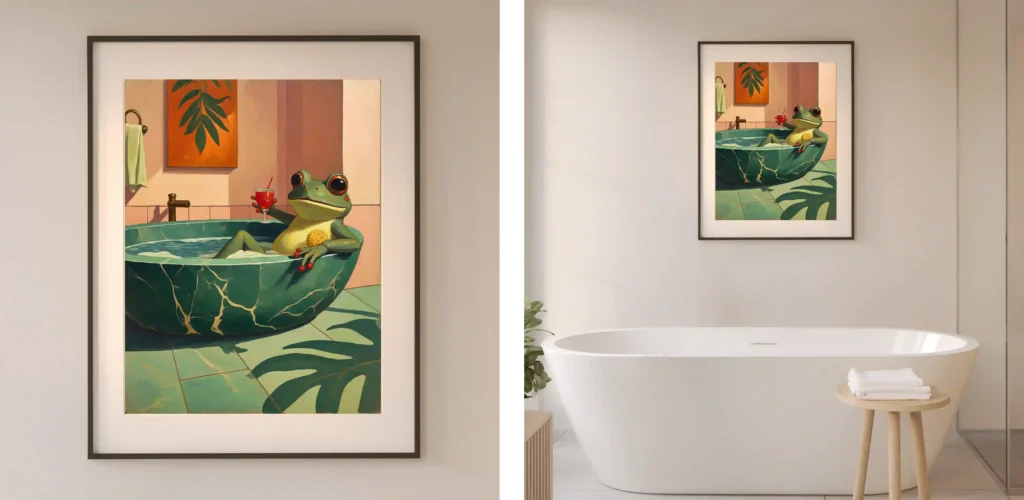
In the Adobe Firefly screenshot below, I generated a ‘bathroom frog print’ image with an original prompt that clearly described the main subjects (frog and bathtub), the frog’s actions, the bathtub’s color, material, and shape, the overall environment, and the style.
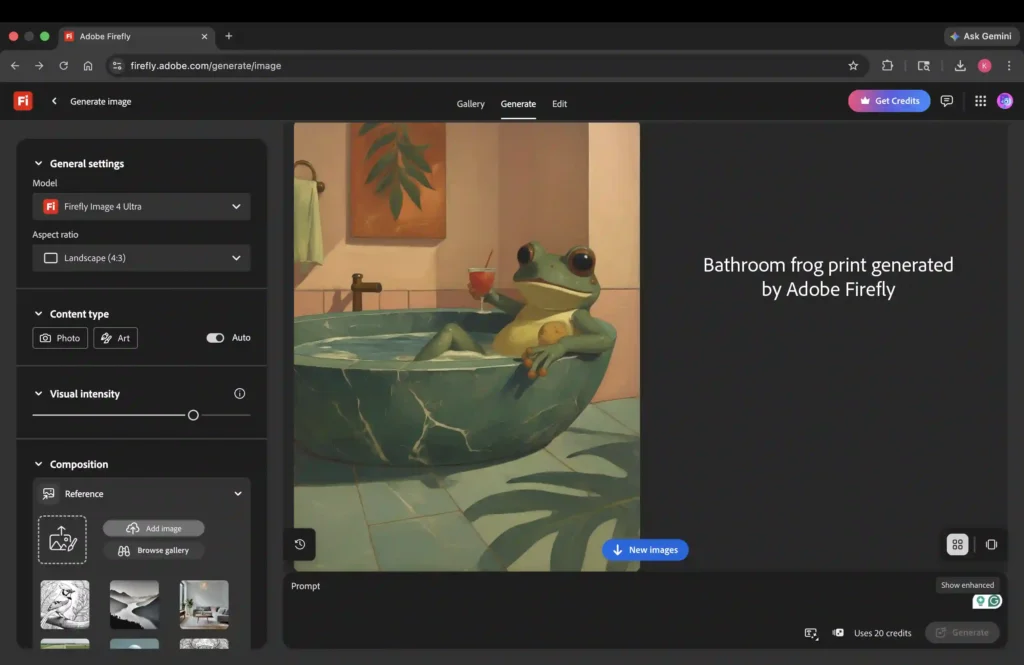
Prompt Creation Requires Effort
Prompt creation requires multiple revisions based on the output. Therefore, you will prompt, generate, and modify the prompt until you get what you want. If you are using Adobe Firefly, it allows unlimited generations with the standard models. Therefore, you can use it without exhausting your credits.
4. Correct Imperfections
AI-generated images can have imperfections. For example, imperfections in the hands. You can correct these imperfections with generative AI software. If you are using Adobe Firefly, there is a built-in feature that lets you correct these imperfections. Another software option for this task is Photoshop, which includes corrective AI features.
5. Upscale the Generated Art
The AI-generated images do not meet the print standards for wall art. They are 72 PPI and have a smaller resolution. Print standards require 300 PPI. The common maximum size offered by Etsy sellers is 24 x 36 inches with 300 PPI. Therefore, you should upscale these images to match these dimensions at 300 PPI. You can accomplish these tasks with tools like Lightroom and Topaz.
6. Refine the Generated Art
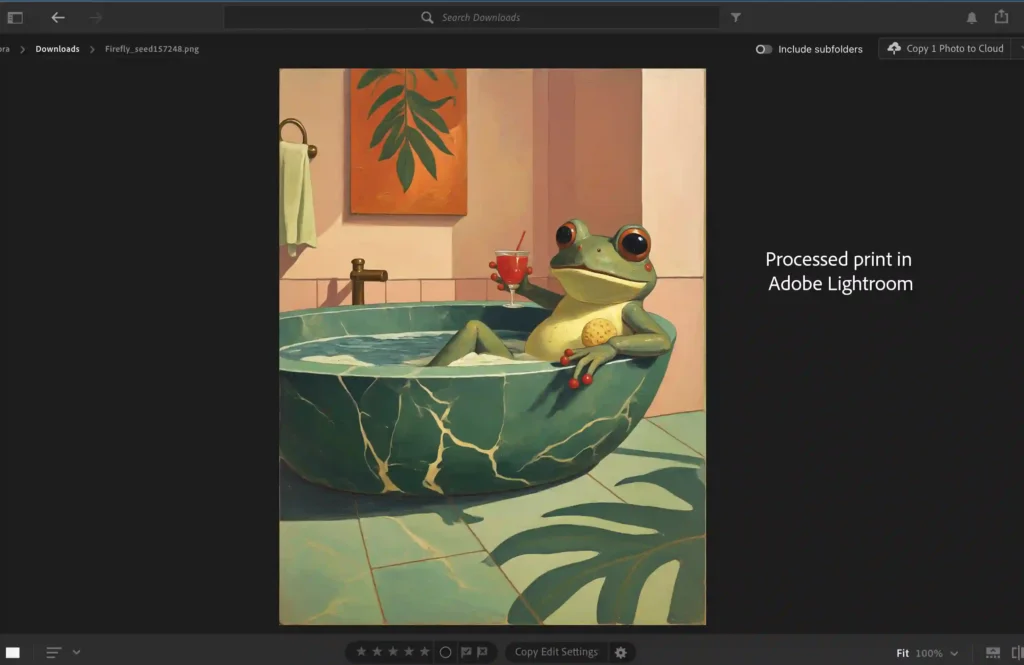
You should never sell raw AI-generated art because it can look flat due to dull colors and limited contrast between light and dark areas. You need to adjust various aspects, such as color, brightness, and contrast, to refine the generated image. You can use software like Adobe Lightroom and Photoshop for making these adjustments.
7. Sizing the Images
If you are selling physical prints through print-on-demand, you can upload your art to their portal and select different size variants.
If you are selling digital prints, you can provide customers five maximum sizes in different ratios at 300 PPI:
- 2:3 ratio – 24 x 36 in
- 3:4 ratio – 18 x 24 in
- 4:5 ratio – 16 x 20 in
- 11:14 ratio – 22 x 28 in
- ISO size – 23.4 x 33.1 in (A1)
The above dimensions are maximum sizes for each ratio. Buyers can use the maximum size for smaller prints as well. You can upload these PNGs to Google Drive and share the link in a PDF that you upload to Etsy while creating a listing.
8. Prepare Listing Photos with Mockups
Listing photos are quite important for getting sales when it comes to wall art. After all, wall art shoppers are looking to enhance their decor. If your listing photos fail to meet aesthetic standards, shoppers will lose interest quickly. While there are third-party websites that offer premium-quality mockups, you can easily generate them on your own with an AI image generator. I have generated the bathroom wall art mockups below using Adobe Firefly. If you want to learn how to make click-worthy wall art listing photos using Adobe Firefly, you can read the article The Blueprint for High-Converting Etsy Wall Art Listing Photos.